Your August 2026: Editable & Printable Calendar Template
There's a unique kind of energy that comes with August. It's the last stretch of summer, a time for final vacations, back-to-school prep, and for many businesses, the crucial planning phase for the fall and holiday season. Juggling all these priorities requires a clear, organized view of the month ahead. While digital calendars are convenient, there's a tangible focus that comes from having a physical planner on your desk or wall. That’s where a versatile, customizable tool like an Editable/Fillable August 2026 Calendar becomes indispensable, bridging the gap between digital convenience and analog clarity.
More Than Just a Grid: A Tool for Focused Planning
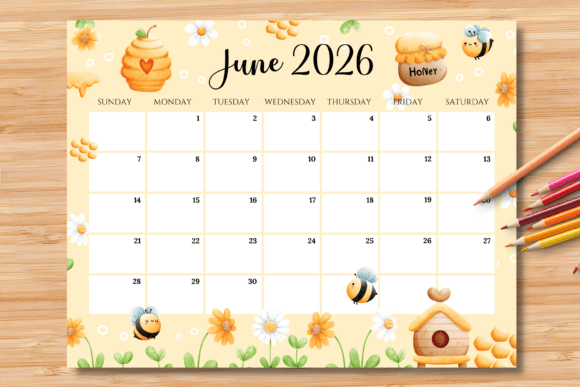
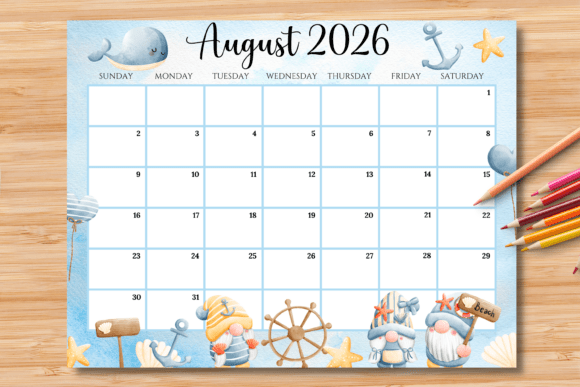
This isn't your average printable calendar. It’s designed as a flexible foundation for your month. The package includes both a high-quality printable PNG and, more importantly, an editable PDF. The PDF is where the real magic happens. The clean, horizontal US letter layout (11 x 8.5 inches) features subtle blue boxes that act as your personal editing fields. You can use it straight out of the box by printing and writing in your plans with a pen, or you can leverage its digital features for a polished, professional result.
The process is straightforward. Open the PDF in the free Adobe Reader software. Simply click into any of the blue boxes and start typing. Once your text is entered, you can highlight it and press Ctrl+E (Windows) or Command+E (Mac) to bring up a formatting toolbar. Here, you can adjust the font, size, and color to match your project's aesthetic or your personal preference. The key design feature? Those blue editing guides vanish upon printing, leaving you with a crisp, clean calendar filled only with your customized information.
Practical Applications for Creatives and Professionals
The true value of a fillable calendar template lies in its adaptability. For a small business owner or entrepreneur, this can become a central part of your operational toolkit.
- Content & Social Media Planning: Map out your entire August content schedule. Type in blog post titles, social media campaign themes, and newsletter send dates. Use the color-coding feature to differentiate between platforms or content types, giving you a bird's-eye view of your marketing rhythm.
- Project Management & Milestones: Keep complex projects on track. Input key deadlines, client meetings, and deliverable dates. Printing this out and pinning it above your workspace provides a constant, at-a-glance reminder of what’s coming next, reducing the mental load of remembering every detail.
- Personal Branding & Client Gifts: Imagine providing a beautifully branded monthly calendar to your clients or community. You can customize it with your logo's font and color scheme, adding a personal note for the month. It’s a high-value, low-cost item that reinforces your brand identity and provides genuine utility.
- Event and Launch Planning: For a product launch, workshop, or special event, this calendar can serve as your master timeline. Detail pre-launch tasks, promotional periods, and post-event follow-ups. The clean layout prevents overwhelm and keeps your entire team aligned.
Enhancing Visual Communication and Brand Consistency
In design and marketing, consistency is king. A tool like this editable calendar supports that principle directly. By using the same typeface and color palette you use across your other brand identity materials—your website, packaging, and social media graphics—you create a cohesive visual language. This repetition builds brand recognition and conveys professionalism.
Think about editorial design for a moment. A well-formatted calendar with thoughtful typography isn’t just functional; it’s a piece of communication design. The choice to use a clean sans serif font for dates might prioritize readability, while a stylish script font for the month’s title could add a touch of elegance. This template gives you the control to make those deliberate typographic choices, turning a simple schedule into a curated visual asset. It’s a small detail that contributes significantly to a professional presentation in any context, from a client-facing proposal to an internal team document.
Getting the Most Out of Your Template
To ensure the best results, keep these practical tips in mind. First, always open and edit the PDF in Adobe Reader on a computer; the interactive fields are not designed for mobile devices or tablets. When customizing, think about readability. A highly decorative display font might look beautiful for a title but could become illegible when used for daily notes in a small box. Often, pairing a stylized header with a simple, sturdy body font creates the perfect balance of style and function.
Remember that the final printed colors may vary slightly depending on your printer and paper type. It’s always a good idea to do a test print on a single sheet before printing a full batch, especially if you’re creating materials for a client or an event. Finally, this is a final product designed for your use and enjoyment. Please respect the creator's work by not reselling the template itself.
Ultimately, an Editable/Fillable August 2026 Calendar is more than a date tracker. It’s a blank canvas for organization, a branding tool, and a productivity booster all in one. By taking a few minutes to customize it, you transform a generic template into a personalized system that helps you navigate the month with intention, clarity, and style. Whether you’re planning a marketing campaign, managing a creative project, or simply organizing your family’s schedule, having a clear, beautiful plan laid out before you makes all the difference.